Know a campaign will make money before you run it.
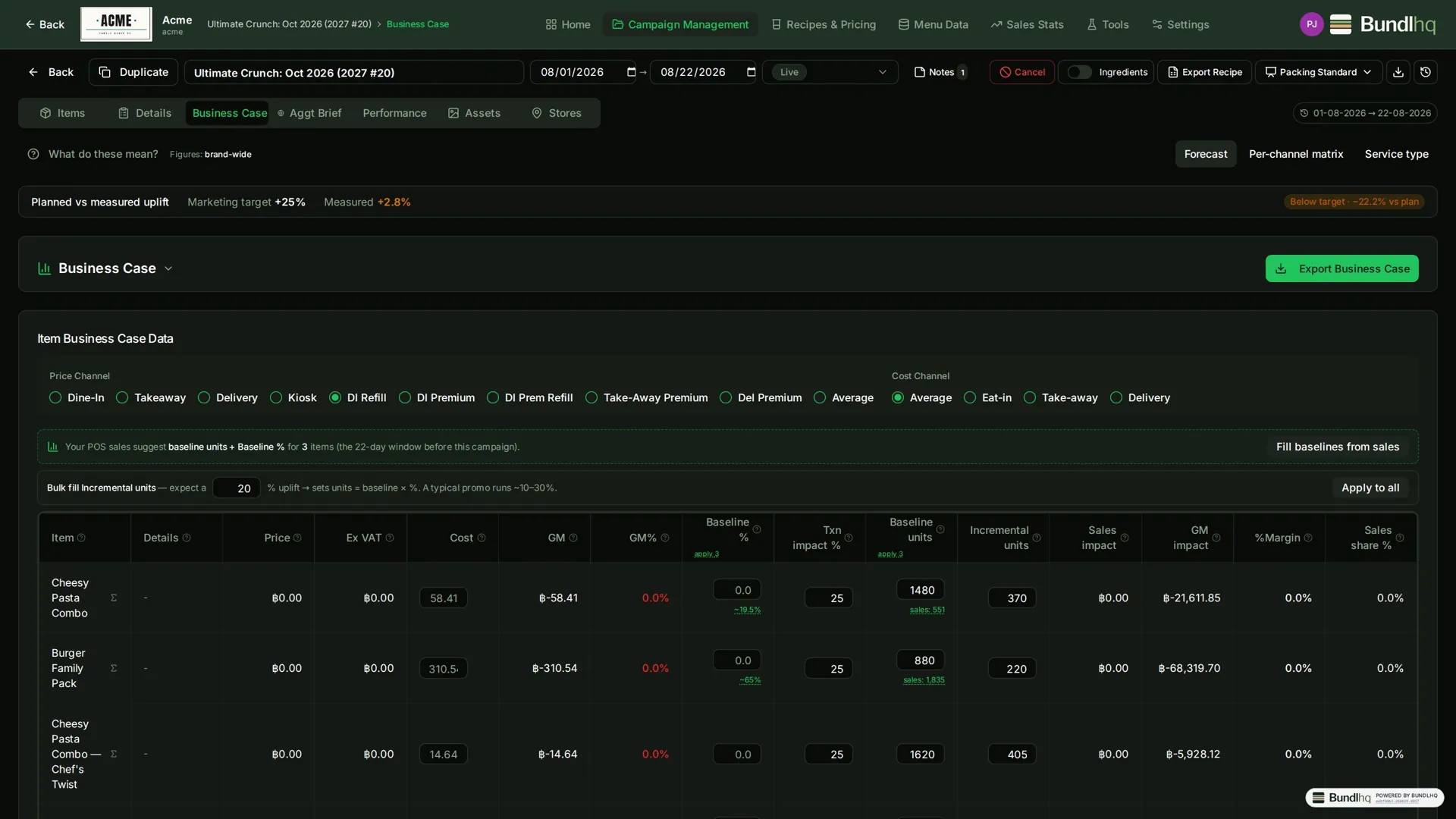
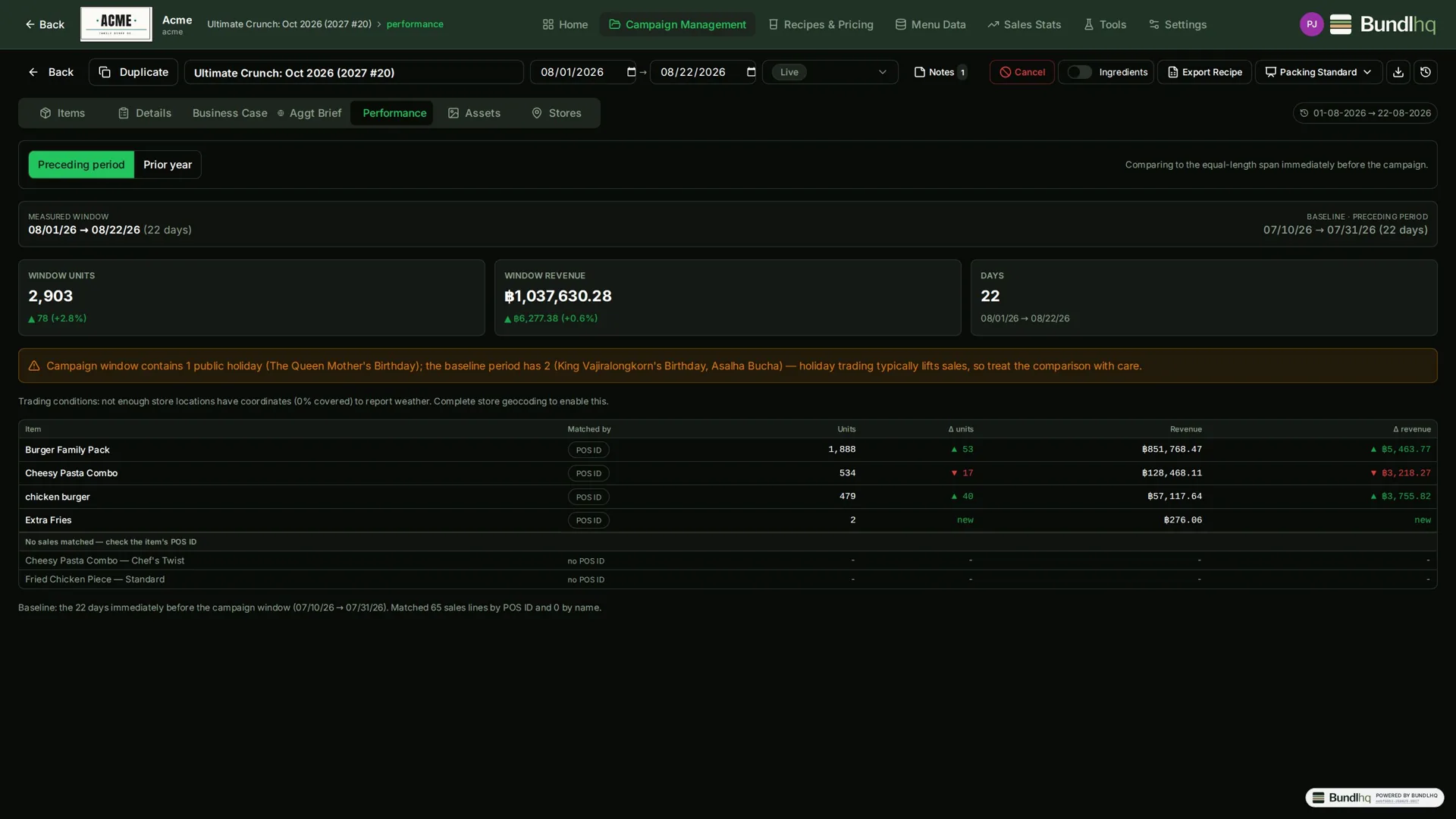
Every campaign in BundlHQ carries its items, its prices per channel, its store scope and a financial forecast — the Business Case. You enter the uplift you expect, and BundlHQ turns it into sales impact, gross-margin impact, break-even units and an ROI multiple against the promo cost. When the campaign is over and POS sales are in, the Performance tab shows what actually happened — so marketing proves the result and finance trusts it.
- Business Case forecast: price, price ex-VAT, cost, gross margin and GM% per item.
- Break-even and ROI summary against the promo cost you enter — the numbers finance signs off on.
- Classic view and a per-channel matrix view (price / cost / GM% for every channel).
- Uncosted items show "—" and are excluded from totals — a missing cost never silently flatters the numbers.
- Export to Excel for finance.
- Everything about a campaign in one place — items, delivery-platform brief, performance, creative assets with an approval flow, and comments with @mentions.
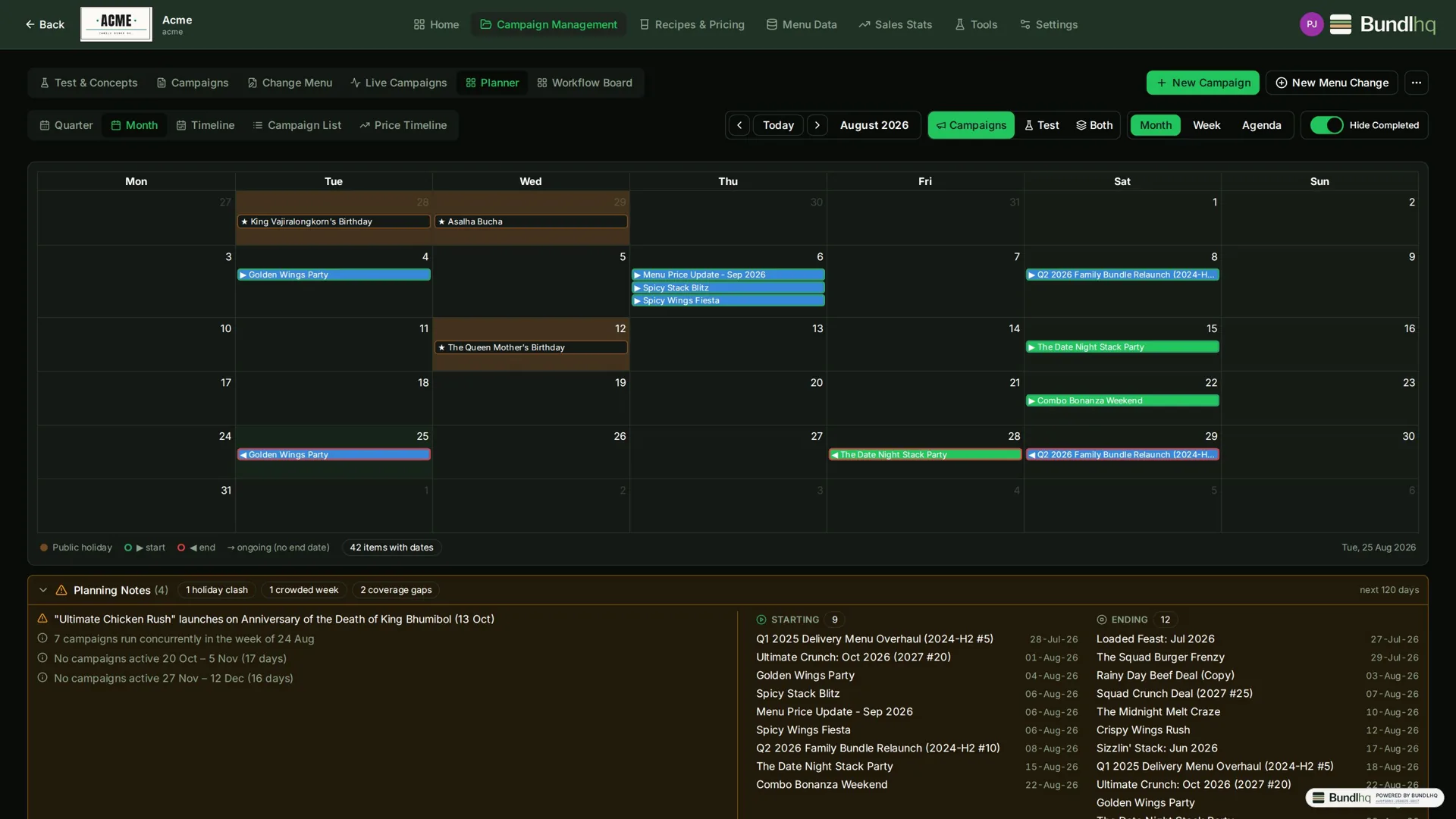
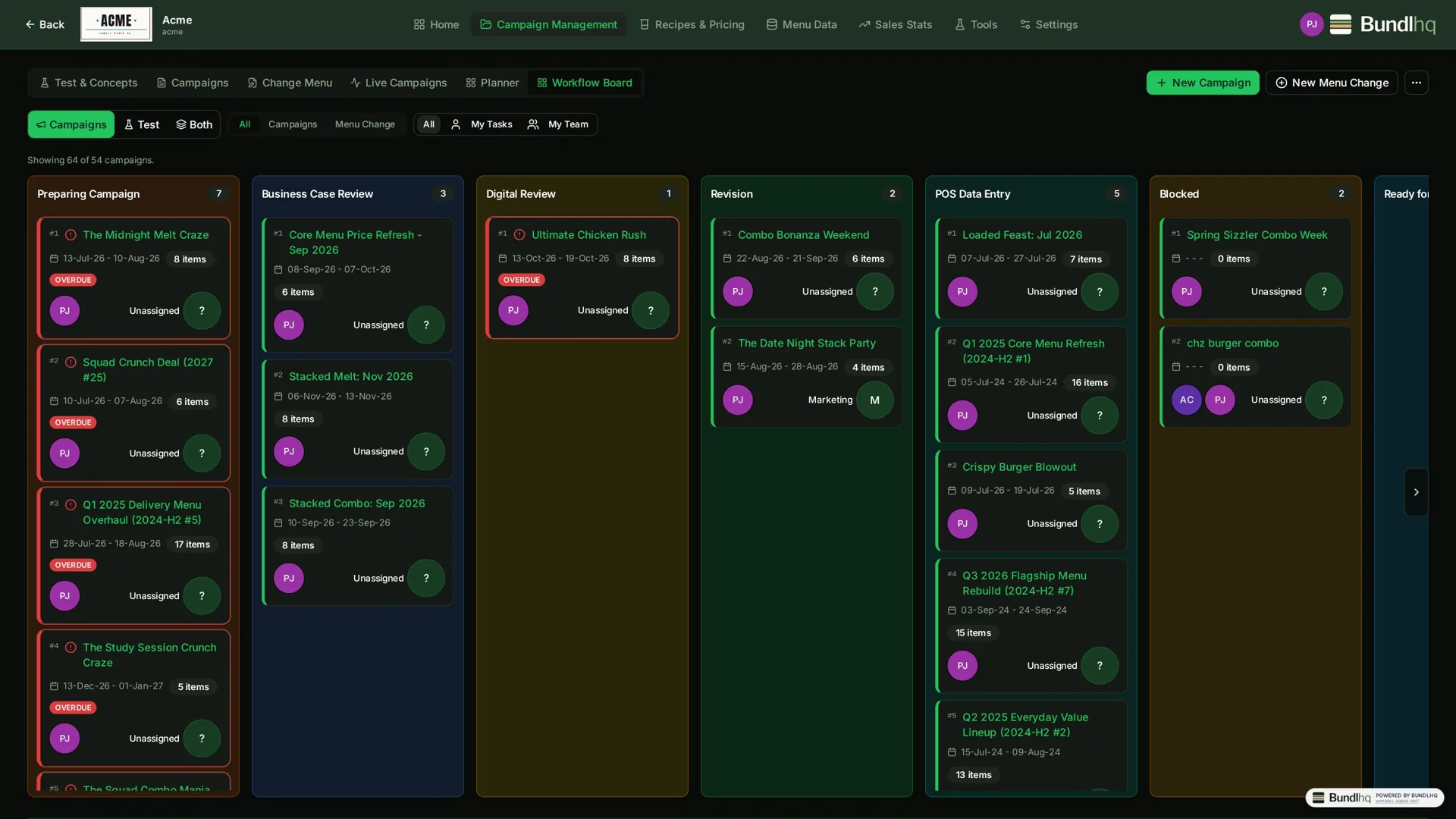
- Plan on a monthly calendar, timeline, workflow board, list or price timeline — with public holidays shown against the plan and clashes (overlaps, crowded weeks, launches on holidays) surfaced automatically.